
PageProof plugin for DaVinci Resolve.
Streamline your video review and approval process with the PageProof plugin for DaVinci Resolve Studio – integrating powerful video online proofing into your creative workflow. Create proofs, action feedback on the timeline, and get videos approved faster.
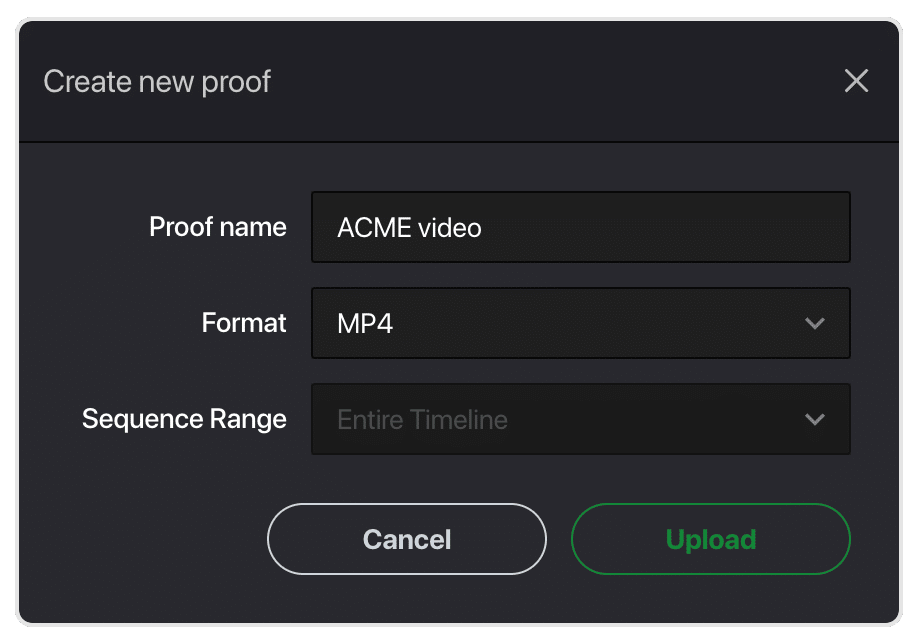
Create a new proof in just a few clicks

Action feedback without leaving DaVinci Resolve
Reply to comments, download attachments, mark changes as done, and @ mention teammates — all from the plugin. Everything syncs in real-time to PageProof. Projects moves quickly to sign-off.
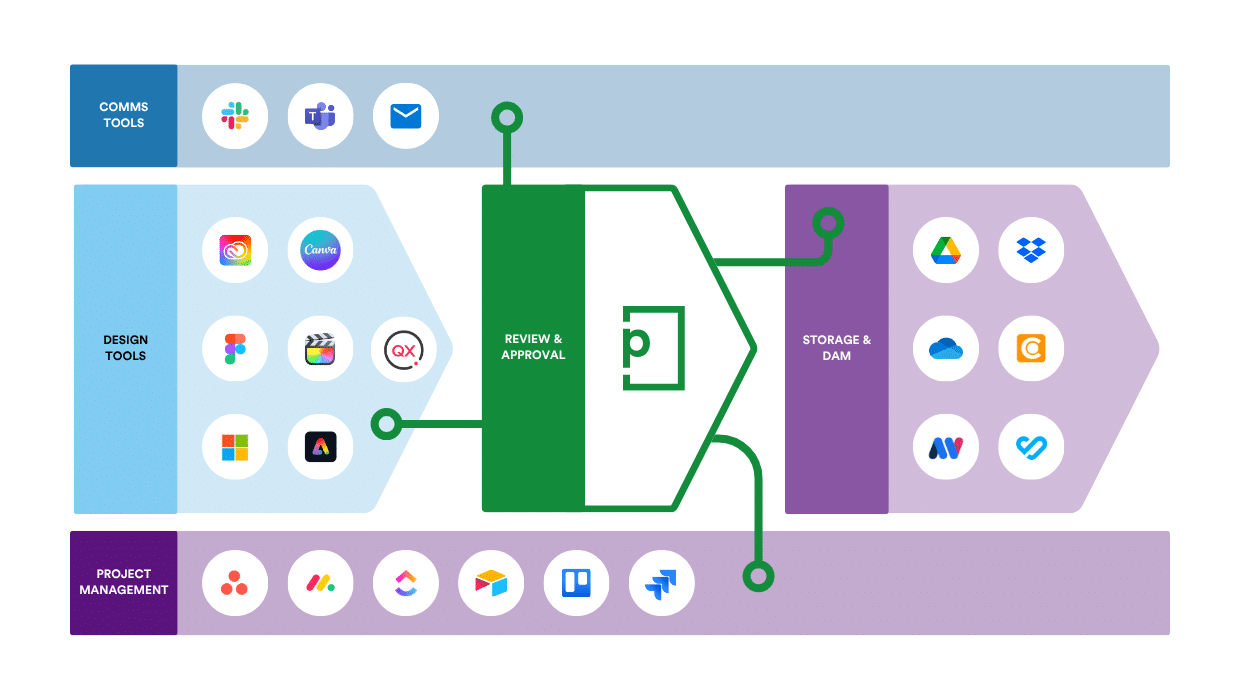
PageProof connects with all the places you work
DaVinci Resolve is just the start. PageProof connects to your entire creative stack — from design tools to project management — so review and approval happen right where your team works. No context switching. No chasing feedback.
Let’s grab a couple of details from you first
Frequently asked questions
How do I install the PageProof plugin for DaVinci Resolve?
Download the .pkg file from go.pageproof.com/davinci-resolve-plugin, unzip the folder, and double-click the file. In the installer, click continue, install, then close.
Which version of DaVinci Resolve is required?
The plugin is compatible with DaVinci Resolve Studio version 21 or higher. The free version is not supported.
Do reviewers need DaVinci Resolve installed?
No. Reviewers give feedback in their browser through PageProof as usual — only the editor needs the plugin.

Darren Gunton
General Manager Marketing
“We switched to PageProof and got 12x the functionality for 12x less cost.”

PageProof provided 12x the functionality for 12x less cost.

Matt Ivan
Senior Graphic Designer
“We spend half the time we used to, and have twice the output as our team did one year ago!”

PageProof doubled the output of the marketing team after 12 months.

Claire de Leon
Creative Manager
“Using PageProof and the monday.com integration sped up our workflow almost 40%.”

PageProof doubled the output of the marketing team after 12 months.
Seamless integrations
We make things easy for your team and your designers with integrations like these:


We support design, prototyping, and email marketing tools like these:


