
Seamless approved file delivery from PageProof to SharePoint.
With PageProof’s FinalFile® delivery, approved assets move from PageProof straight into SharePoint, ensuring every asset lands exactly where it belongs.

Get the FinalFile® delivery feature spotlight.
Automate the delivery process.
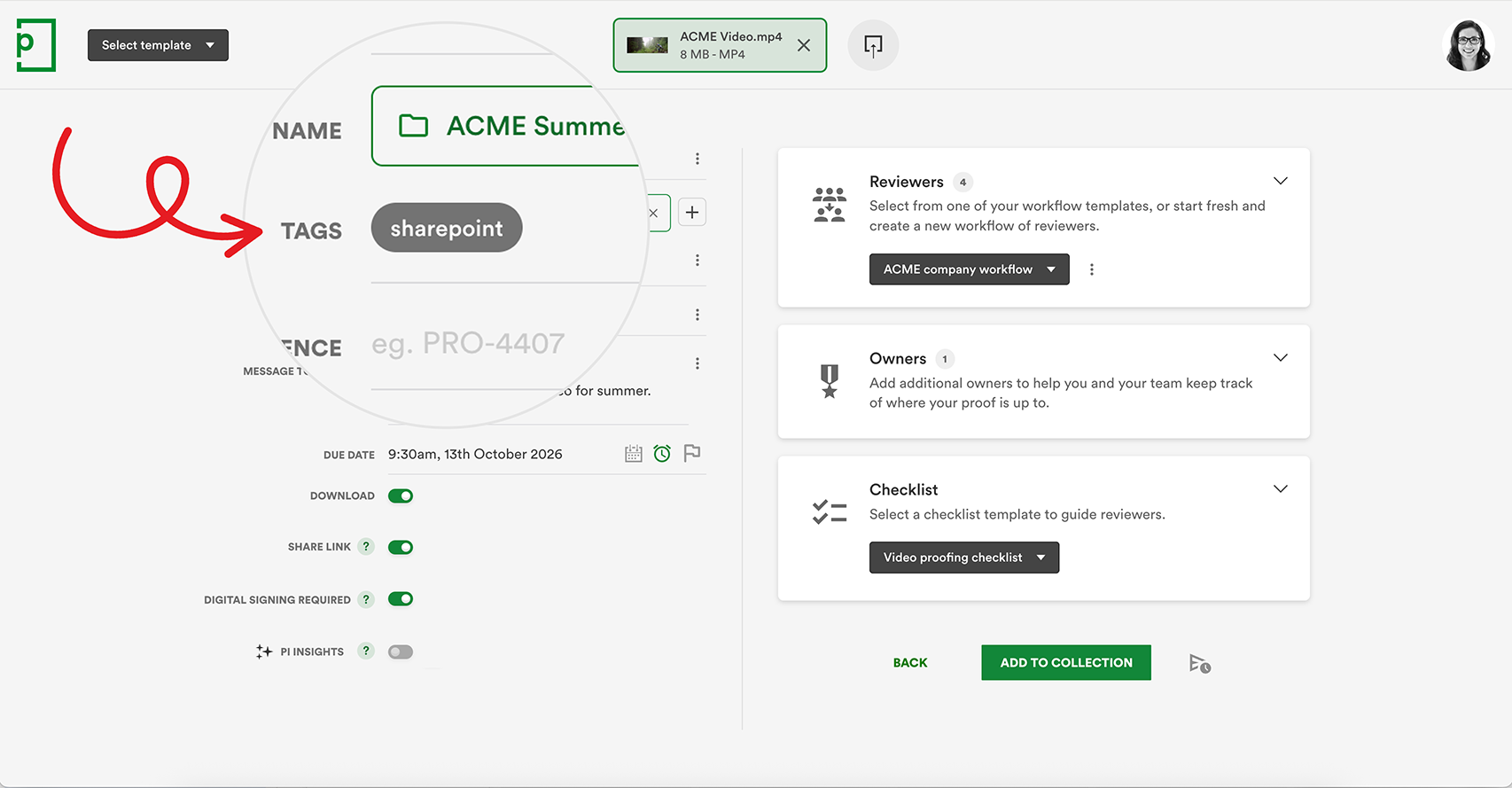
Set the delivery to SharePoint with a simple tag.
Applying a SharePoint delivery tag to your proof — manually, or built into a proof template — sets the delivery path before review even begins, rather than after the fact.
From there, your proof moves through its normal review cycle. Nothing about how your team reviews work changes.

Straight from PageProof to SharePoint.
No more manual handoff.
For most teams, approval isn’t actually the end of the process. Someone still has to get the final file into SharePoint by hand — and that’s where things can go wrong. Incorrect folders, inconsistent naming, skipped metadata, or an old version left live for someone downstream to grab by mistake.
FinalFile® delivery closes that gap. Once an asset receives final approval in PageProof, it’s automatically delivered into SharePoint, turning approval into part of one connected system.
Always work from the right version.
The right file, every time.
Because every delivered file carries its proof name, proof ID, and a link to the full approval history, provenance is never in question. Brand libraries stay clean, consistent, and up to date — and teams always know they’re working from the correct, approved version.
Let’s grab a couple of details from you first

No more manually uploading files.
Final approval, file delivered instantly.
When a proof is given final approval, FinalFile® delivery completes the workflow. PageProof sends the approved file directly to SharePoint — instantly and accurately.
No exporting, downloading, renaming, or manual handling. The file lands exactly where it belongs, with the proof name, proof ID, and a direct link back to the PageProof audit trail.
Frequently asked questions
What is FinalFile® delivery?
FinalFile® delivery is a direct connection between PageProof and SharePoint, or your storage destination, that automatically sends approved files into your storage destination the moment a proof receives final approval — with no exporting, downloading, renaming, or manual uploading.
How do I set up FinalFile® delivery for SharePoint?
Add a SharePoint tag to your proof, either manually or built into a proof template. This sets the delivery path before review even begins. When the proof is approved, the file is delivered to SharePoint automatically.
What happens if a proof goes through multiple versions?
Every version stays linked to the same proof and audit trail. Only the final approved version is delivered to SharePoint, so your library always holds the correct file. Each delivered file arrives with metadata tying it back to its source: the proof name, a unique proof ID, and a direct link to the full approval history, including who approved it and when.
Do I need a specific PageProof plan to use FinalFile® delivery for SharePoint?

Darren Gunton
General Manager Marketing
“We switched to PageProof and got 12x the functionality for 12x less cost.”

PageProof provided 12x the functionality for 12x less cost.

Matt Ivan
Senior Graphic Designer
“We spend half the time we used to, and have twice the output as our team did one year ago!”

PageProof doubled the output of the marketing team after 12 months.

Claire de Leon
Creative Manager
“Using PageProof and the monday.com integration sped up our workflow almost 40%.”

PageProof doubled the output of the marketing team after 12 months.
Seamless integrations
We make things easy for your team and your designers with integrations like these:


We support design, prototyping, and email marketing tools like these:


