PreProof™. Catch issues before creating a proof.

Get the PreProof™ feature spotlight.
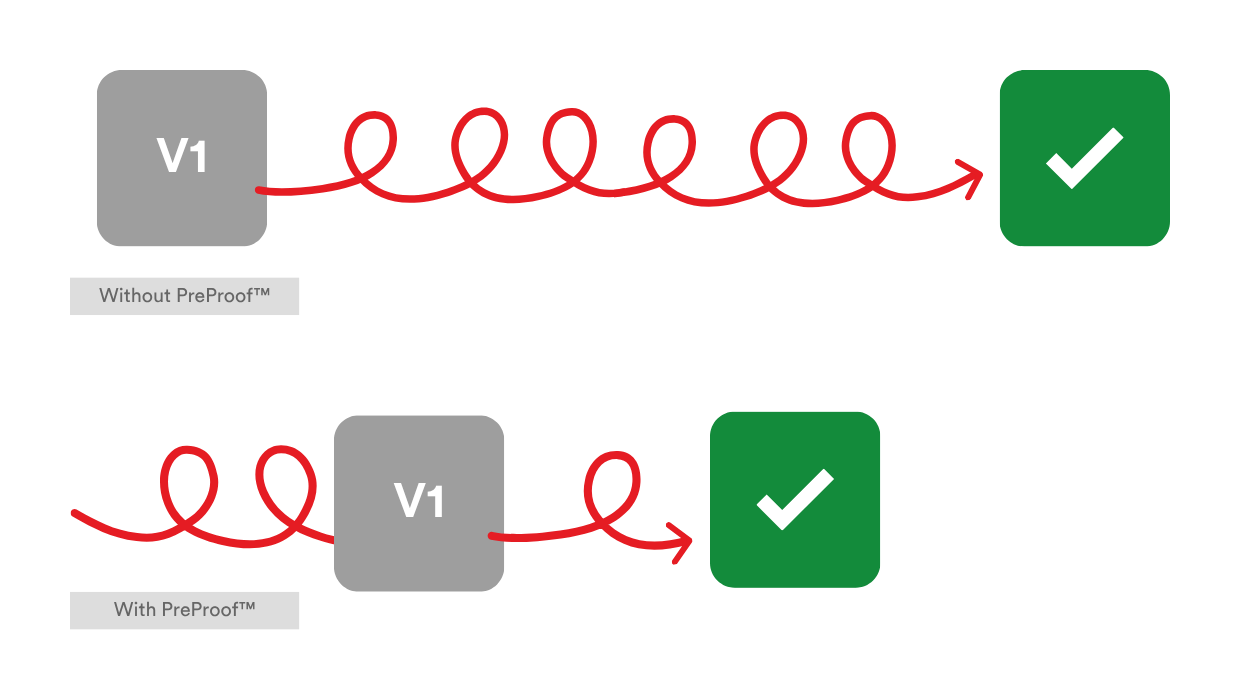
Better first proofs. Faster approvals.
Catch issues before your proof goes out
PreProof™ reviews your work while you’re still designing, so reviewers get a better first proof and approvals come sooner. Powered by PageProof Intelligence®, PreProof™ flags spelling, brand, packaging, accessibility, and compliance issues, before you send your work for review.
Every issue. Prioritized for you.
A prioritized order of what to fix first
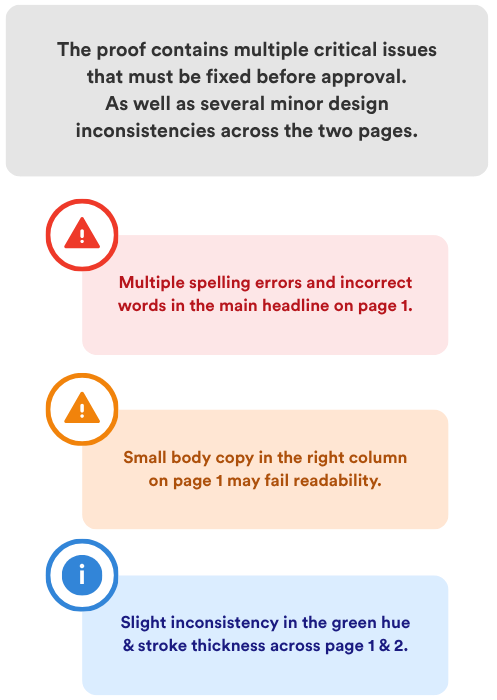
Every review starts with a summary, followed by insights sorted by priority so you can work through them in order.
-
Critical — issues that could affect accuracy, compliance, or the integrity of the work.
-
Important — issues that could affect quality, consistency, or brand compliance.
-
Minor — smaller improvements and details work a second look.
See what needs attention first, so you can focus your time where it matters most.
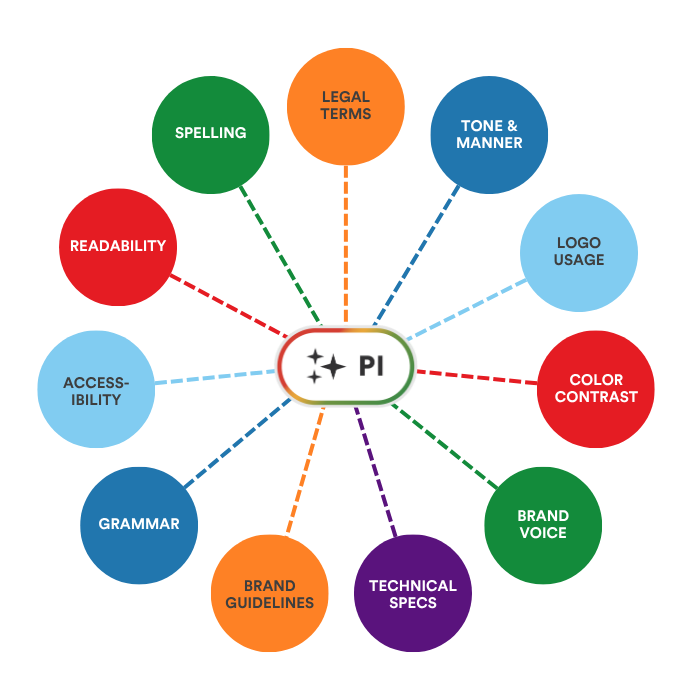
All your creative checks — in one place.
Checks that fit how your team works
Use standard PageProof Intelligence® insights, or choose a PI Agent configured for your organization’s requirements.
- Copy: Check spelling, grammar, and consistency across the document.
- Brand: Flag missing or incorrect brand elements and potential breaches of brand guidelines.
- Packaging: Check work against your packaging specifications.
- Compliance: Highlight accessibility, legal and regulatory issues, plus custom requirements defined by your organization.
Find issues before your reviewers do.
Check your work as you design.
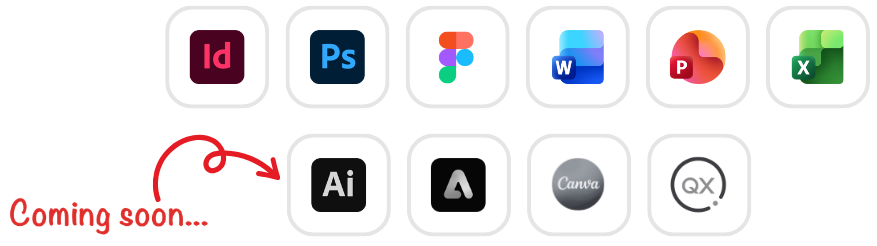
Available across your teams favorite design tools
PreProof™ is available in selected PageProof plugins and add-ins, so designers can check their work where they create it.
- Adobe InDesign: Run PreProof™ in the PageProof plugin for Adobe InDesign.
- Adobe Photoshop: Use PreProof™ in the PageProof plugin for Adobe Photoshop.
- Microsoft Office: Check documents and presentations with the PageProof add-in for Microsoft Office.
- Figma: Check designs with PreProof™ in the PageProof plugin for Figma.
Check in your design tool. Send your team a better first proof.
Frequently asked questions
What is PreProof™?
PreProof™ is a PageProof feature that embeds PageProof Intelligence® directly inside your design applications. It lets you run review checks before you create a proof, so issues are caught while you're still designing rather than after the proof is already in review.
Which design tools does PreProof™ support?
PreProof™ is available for Adobe InDesign, Adobe Photoshop, Figma, Canva, Microsoft Word, Excel, and PowerPoint.
What kinds of checks can PreProof™ run before a proof is created?
What are the main benefits of using PreProof™?
PreProof™ reduces reviewer effort, cuts down the number of review rounds, lowers the number of proof versions, and helps creative work reach approval faster and closer to right-first-time. By catching errors during design, you avoid sending obvious problems into the formal review cycle.